A browser game by Pinidi Studio · Playgama
Drink the Ocean
How far can a straw take you? Fill your belly, turn water into salt, and make the sea level fall one sip at a time.
Is Drink the Ocean on Steam?
We couldn't verify a Steam store page, release date, or Steam price for either of the two browser games called Drink the Ocean as of November 16, 2026. The Play Drink the Ocean button above starts the free Pinidi Studio browser game from Playgama. You don't need the Steam app to play this version.
Which Drink the Ocean did you see?
Watch for the currency and the other players. In the one on this page, you drink until your belly is full, squeeze out salt at a press on the beach, and spend that salt on upgrades. The separate Mana browser game lets one to four players search the newly exposed seabed, sell treasure, and work toward a shipwreck. If the clip you watched showed a merchant buying treasure or a group of friends on the same island, it's probably the Mana game. Its publisher lists it for a desktop browser with a keyboard and mouse.
How to play Drink the Ocean
Your first goal is to finish one trip from the sea to the press. The ocean percentage records your progress toward draining the sea; your belly meter tells you whether you can still carry more water. They measure different things. You can fill your belly while the ocean percentage still looks close to zero.
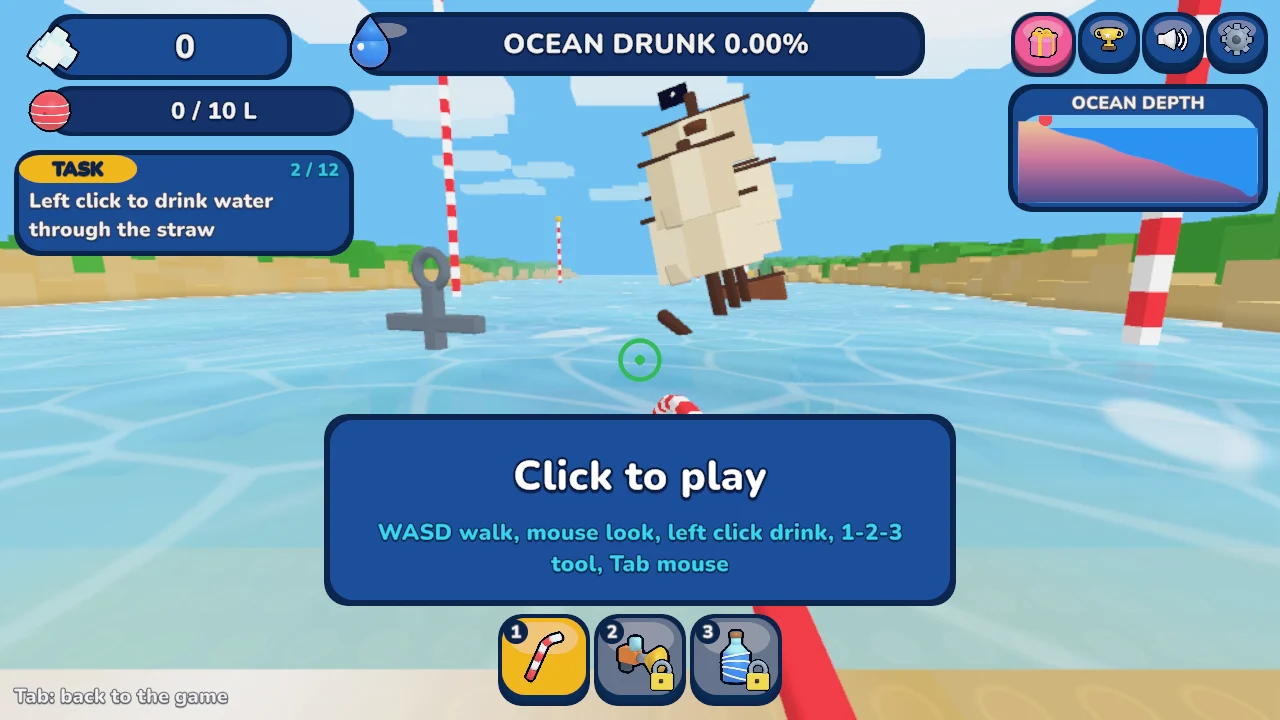
- Go to the shallows. On a computer, click inside the game so it can read your input, then use WASD to move and the mouse to look. Face the water and use the left mouse button to drink when the prompt appears. The game has touch controls on supported phones and tablets; hold the on-screen Drink button when you're at the water.
- Bring a full load to the press. When the belly meter is full, walk back to the press on the beach and stand under it. That converts your water into salt. When you're learning the island, turn around once from the water's edge and look for the press before leaving the shoreline. That gives you a landmark for the return trip.
- Spend salt at the shop. Look for the shop pad when you return to shore. A bigger belly lets you carry more water per trip; new drinking tools give you other ways of taking water in. Look at the price and the effect shown in the game before you buy.
- Watch the waterline as you go. The target is to take the ocean percentage to 100%. Walking farther out is part of the run as the water retreats. When the plug becomes accessible, the game offers a way to start a new ocean. The publisher lists cola, lemonade, slime and lava as later options.
Get more out of each trip
For the first few turns, stay near the part of the shore closest to the press. Keeping the route short helps you see whether most of a trip goes into filling up or into walking. If you reach full quickly and keep having to turn back, check the price of the next capacity upgrade. If walking is already quick and most of your time is at the water, compare the drinking tools instead. You can try the same route once before and once after buying an upgrade to see what changed.
If you see water but the game won't let you drink, look for the on-screen prompt and check both your aim and the belly meter. With a full belly, the useful next step is at the press. On desktop, click back into the game if WASD isn't moving your character after you've used another button on the page. Press Esc if the browser has captured your mouse and you need to use the page again.
The browser version is free to start, and the site does not require an account. The Playgama player may show its own prompts. If it does not open here, the official Playgama listing is a second way to launch the same Pinidi Studio game.
AT THE WATERLINE
Drink the Ocean FAQ
Is Drink the Ocean on Steam?
We couldn't verify a Steam store page, release date, or Steam price for either of the two browser games called Drink the Ocean as of November 16, 2026. The player here uses the free Pinidi Studio browser game from Playgama.
Is Drink the Ocean free?
Yes. The Pinidi Studio game is free to start in your browser through Playgama. You don't have to download it or sign in to this site. Playgama may display its own ads or prompts.
Can I play on a phone or tablet?
Playgama lists the Pinidi Studio build for phones, tablets and computers. Try landscape if the controls feel cramped. The embedded player has a fullscreen button next to it; availability depends on your browser.
Does my game progress carry to another browser?
This site doesn't create a user account or sync the embedded game's progress. The player manages any game storage. Don't assume progress will transfer to a second device or survive private browsing or cleared site data.
What should I do if the player doesn't start?
Give the loading panel a moment, then reload the page and try again. If the player still won't open here, try the official Playgama listing in a current browser. Game delivery and some features depend on your browser and connection.
Can I play with friends?
The Pinidi Studio version in this player is for one player. For up to four people, use the separate Mana browser game and follow its multiplayer setup.
TIDE CHAT
No tide notes yet. Be the first to share a useful discovery.