
How to Play Drink the Ocean: Controls and First Salt Trip
Start by filling the belly meter at the shoreline, then take the water to the beach press to earn salt. This guide shows the controls, the first trip to the press and how to get unstuck in the single-player Pinidi Studio game hosted by Playgama.
| Step | What we measured |
|---|---|
| Starter sip | 2 L per successful drink |
| Starter belly | 10 L capacity, so five sips from empty |
| Full 10 L load at the starter press | 15 salt |
| The same load after Stronger Press | 18.8 salt |
If you came here looking for the multiplayer game with treasure and a shipwreck, read Drink the Ocean vs Mana — that page identifies which game you are looking at. The salt press and upgrade pad in this guide are landmarks in the Pinidi Studio version.
1. Get the controls working
Select Play the browser version and wait for the game to open. Each time you return to the player from a browser button or another tab, click or tap inside the game before moving again.
On a computer, use WASD to walk, move the mouse to look around, and left-click to drink when the prompt appears. The game shows Tab: free the mouse while it controls your cursor. You can also use Esc to leave the browser's mouse capture, then click inside the game when you are ready to resume.
On a supported phone or tablet, rotate to landscape if you need more room. In the touch layout, use the joystick to move, swipe to look around, and use the on-screen DRINK button at the water. Where the browser supports fullscreen, the button below the player gives the controls more screen space.
For the mobile controls, landscape layout and common phone questions, read the Drink the Ocean mobile guide.
2. Fill the belly meter at the shoreline
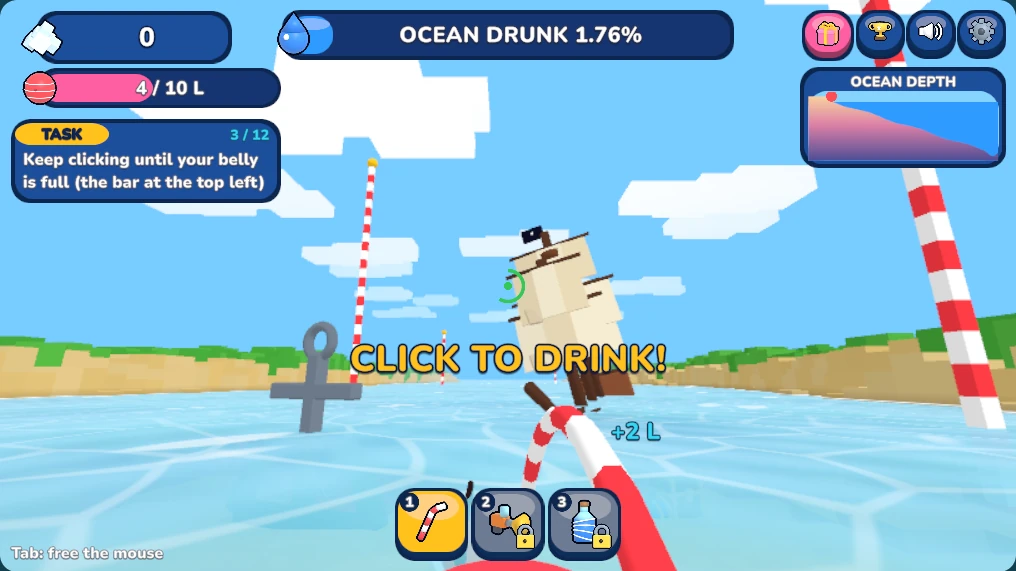
Walk to the shallow water and aim toward it. Look for the green crosshair and the CLICK TO DRINK! prompt. In a fresh run, the starter straw added 2 L per successful drink and the belly meter held 10 L. That makes five successful sips from empty in the desktop opening we played.
Keep an eye on the two counters. The belly meter at the top left shows how much water you are carrying on this trip. The ocean percentage at the top center tracks progress across the whole run. When the belly meter is full, you can return to the beach even if the ocean has barely moved.
3. How do you get from the shoreline to the PRESS on your first trip?
When the belly meter reaches 10/10 L, turn away from the water and walk back onto the sand. Look for the PRESS task marker and follow it to the machine. Step onto the dark pad with yellow-and-black edging and stand directly under the red press head. If the water meter stays full, move farther onto the pad until the press starts draining it.
Use the striped stall as a second landmark. Its blue pad opens the shop. To unload water, look for the red press head and its dark pad.
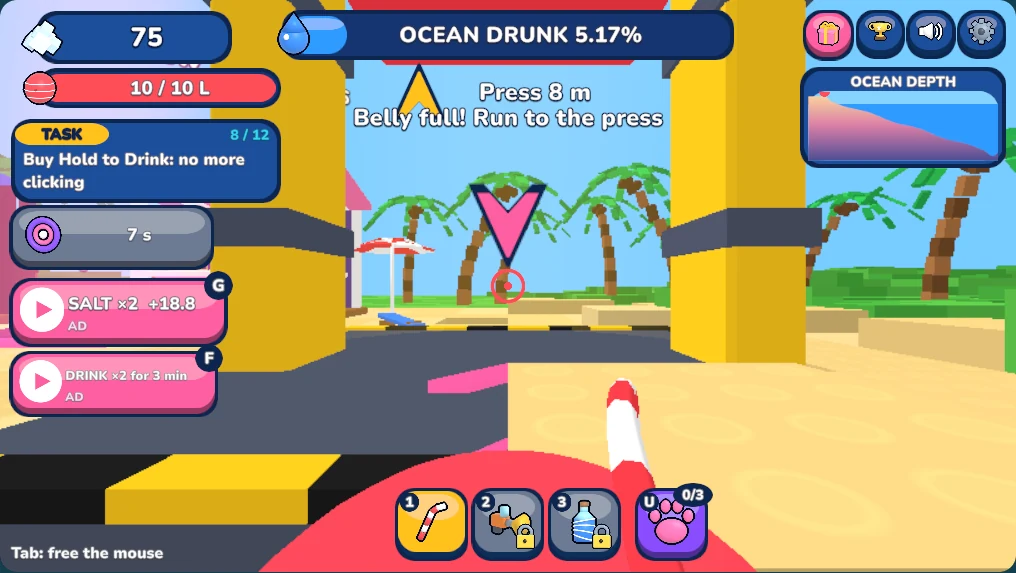
Wait until the belly meter reaches 0/10 L and check the salt counter before you leave. In our November 16 desktop browser test, a full 10 L load at the starter press paid 15 salt. The payout appeared above the crosshair.
Once you own the Recall Ring, press T when full to return beside the press, then follow the marker to stand under it. On the next trip, head to the nearest point where the drinking prompt appears.
4. Find the blue SHOP pad
After collecting salt, follow the SHOP marker to the striped stall and step onto the blue Step here pad to open the shop. See the upgrades guide for prices and what to buy first.
5. Follow the waterline
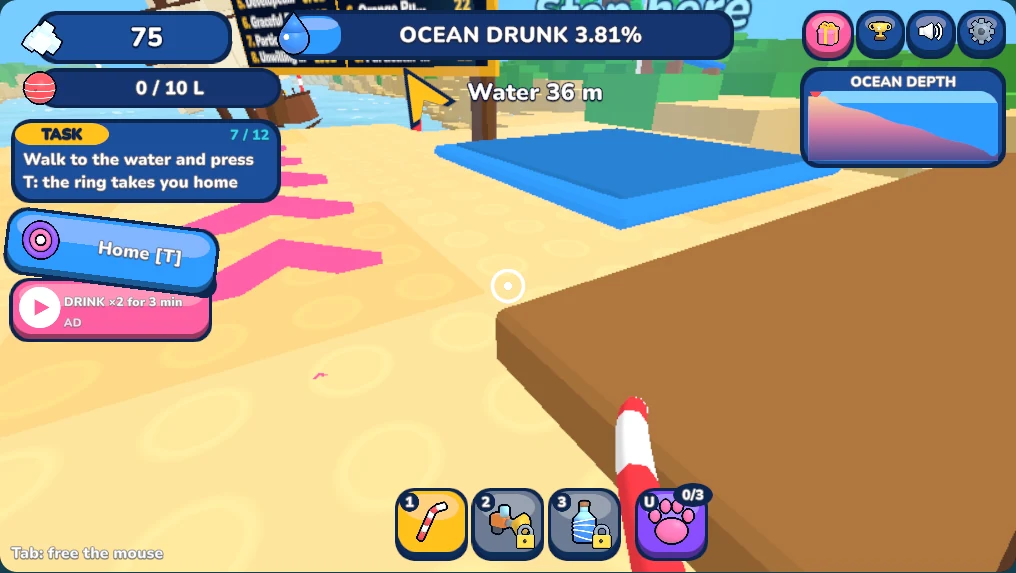
As you drink, the shallow edge moves away from the beach. Walk forward until the drinking prompt returns, then fill up and retrace your route to the press. Use OCEAN DRUNK to track your progress toward 100%. Once the plug is accessible, you can work toward a new ocean. Playgama lists cola, lemonade, slime and lava among the later options.
If you get stuck
- I see water but the drink prompt has disappeared. Check if your belly is full. If you have room left, walk a little closer or aim lower toward the water and look for the green crosshair again.
- I drank water but have no salt. Walk onto the dark pad under the red PRESS head and wait until the belly meter empties. Check the salt counter before going to the blue shop pad.
- WASD scrolls the page or does nothing. Click back inside the game to give it keyboard focus.
- The loading screen never clears. Reload once, then check the Playgama listing in the same browser to see whether the direct player opens. The five loading problems we hit list the rest.